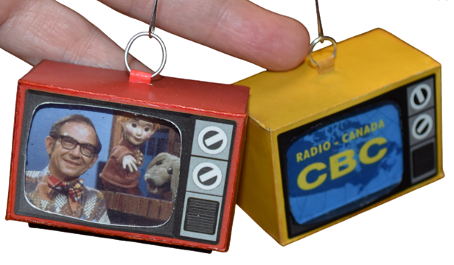
Mini VintageTV Ornament
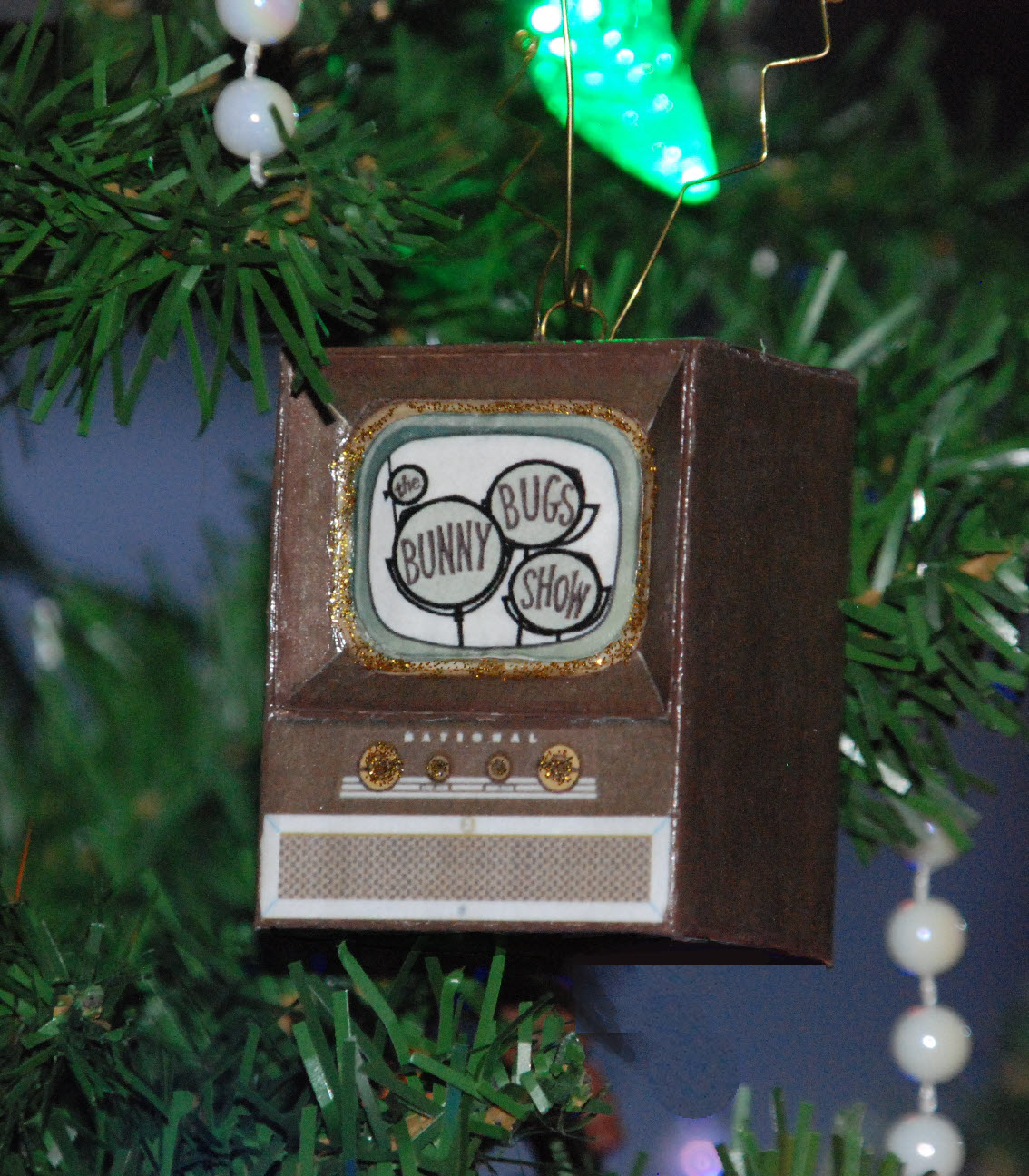
The mini TV ornament is essentially a box shape that is printed and made up from card stock. I like the vintage look of this TV -- in fact, it was on a TV almost exactly like this that I first saw Looney Tunes.
This is the template I used to make my TV. If you want to use the same template, just right click on the image and save it to your computer. You can print from Word -- just import the image and set the size to 6.5" wide. This produces an ornament about 2.5" high, not including the rabbit ears.
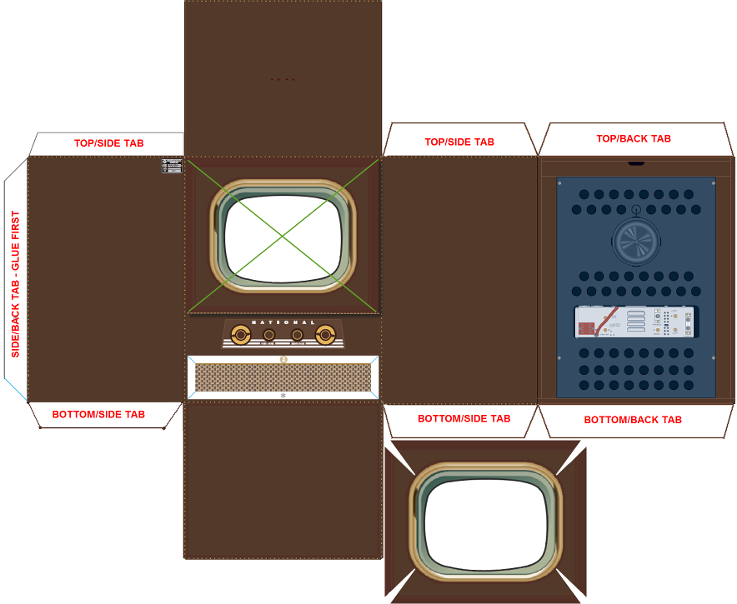
I printed my TV directly on 110-lb card stock, but if you don't have any handy, you can print on ordinary paper and then glue the printed image to some lightweight cardboard -- a manila folder or light cereal box cardboard is perfect, and in fact gives a bit of extra heft to what is otherwise a pretty light ornament.
The template doesn't have an image on the screen, but you can add pretty much any picture you like: I used a Looney Tunes image, but the TV ornament can also be used with family photos, rubber stamp pictures, Christmas card images, or wrapping paper if you like. I inserted my image prior to printing, right in my software.

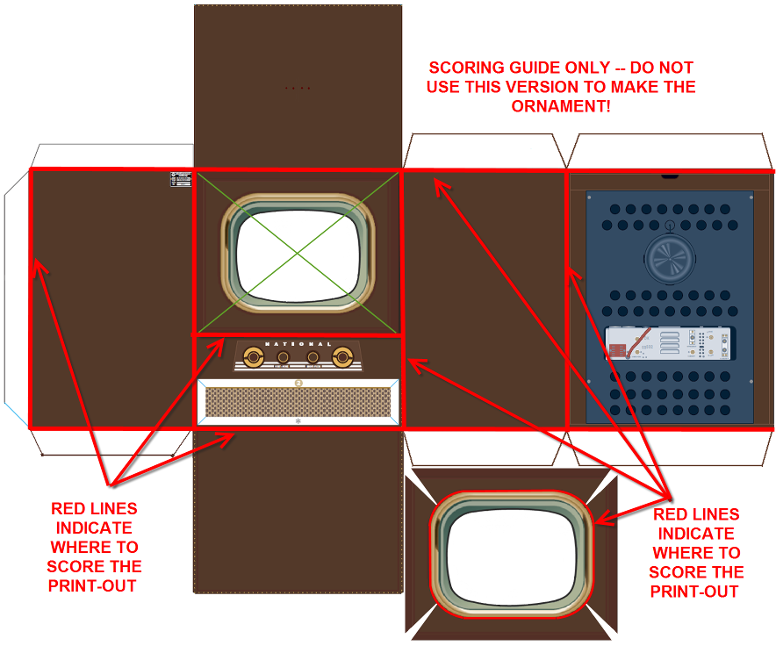
Once the template has been printed or mounted on card stock, but before the pieces are cut out, use a stylus to score along all the foldlines in both the basic TV console and the screen insert. (Follow the red score lines indicated on this scoring guide. Use a straightedge to help you score the straight lines accurately).
After scoring, carefully cut out the TV and the screen insert; I like to use scissors for cutting but if you feel you get a more precise cut with a craft knife you can certainly use one of those. Then pre-fold along all of the scored lines.
To assemble the TV console, use a toothpick to spread a thin layer of tacky glue on the back/side fold, and glue it inside the back edge of the TV. Press firmly til the glue grabs. Then spread glue on the bottom tabs and glue the bottom of the TV into place, matching the edges carefully. You will now have a small box with an open top. Don't glue the top yet.
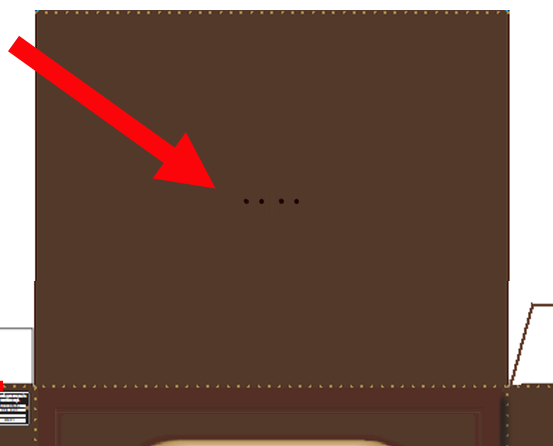
You will notice four dots on the top of the TV; these show the position of the hanging loop and optional rabbit ear antennas -- the two middle ones are for the hanging loop and the outer two are for the antennas. Use a sewing needle to poke holes at the dots; if you are not adding the rabbit ears, you can just punch the inner dots and ignore the outer dots.
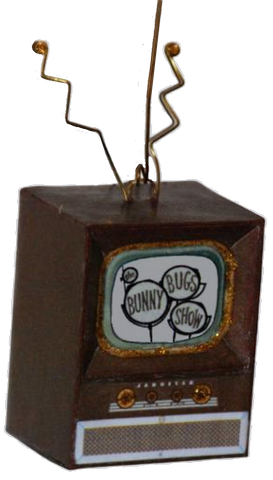
If you are inserting the optional rabbit ears, you will need a piece of wire, approximately 5-6" long. In the example, I have used 18 gauge brass-plated aluminum craft wire.
Working from the wrong side (inside) of the TV top, push the ends of the wire through the outer two holes so that they stick up on the outside of the TV top. Push the wire all the way up and tape it in position on the inside, taking care not to distort the cardboard top of the TV.
On the outside, bend the wires in a zig-zag. Trim them with wire cutters if they are too long and finish the ends by making a small loop with your round-nosed pliers. Refer to the photo above and the diagram at right as a guide.
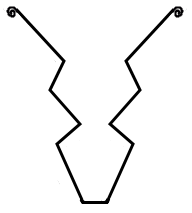
I also added a tiny wire loop to the top of the TV, so that I could insert an ornament hook for hanging. (If you are making a knickknack rather than an ornament, you can skip the loop.) To make the wire hanging loop, cut a piece of wire about 1.5" long. Bend the wire in half around a small dowel or knitting needle, to make a nice curved loop. Then, working from the right (printed) side of the TV, push the ends of the wire through the two middle puncture holes and bend the ends of the wire flat against the inside top of the TV. Work carefully during this process so as not to distort the cardboard top too much. Hold the wire ends in place on the inside with a piece of tape or a dab of tacky glue.
If you prefer to use a string for hanging instead, skip the wire loop and cut a length about 6". Push the ends of the string through the inner puncture holes from the right side, securing them with a knot on the inside. A dot of glue or a piece of tape will help to keep the string in position.
When the hanging loop/string and antennas are in position, spread a thin layer of tacky glue on the top tabs and glue the top of the TV into place, matching the edges carefully. The TV box is complete, and all that remains is to add the screen insert, which is indented slightly just as the screens on old TVs used to be.
To install the screen insert into the TV. This process is not exactly difficult, but it is a little fiddly.
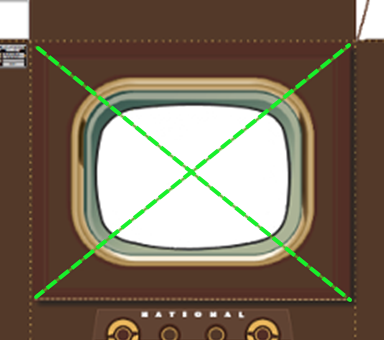
First, use a craft knife to cut an "X" in the TV front, along the green criss-crossed lines shown on the template. Then push the resulting triangular flaps slightly to the inside; they will fold nicely along the scored lines. Using a toothpick, spread a thin layer of glue on these flaps. Push the pre-folded insert into the opening so that the corners meet and the edges are flush with the outside of the TV.
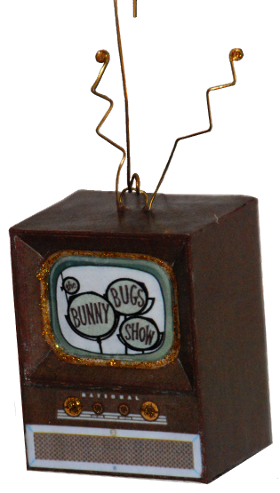
Once the glue has dried, you may want to give the ornament a very light coat of podgy or spray fixative, just to fix the images and to provide a bit of shine. If you like, you can add a tiny bit of gold glitter glue around the screen border and on the knobs.
A TV ornament is particularly suited to the Looney Tunes theme, since most of us came to know the Looney Tunes gang from a TV show.
But this kind of ornament can also display any picture, from cartoon images to comic book heroes, from graduation or wedding photos to baby pictures to pet pictures or images of famous people.
If you prefer a different style of TV for your ornament, you can find one by searching "paper toys TV" or "doll house printables TV" on the Internet, as I did for these CBC ornaments.